Introduction
Sales has always been about people and it still is today. You talk. You listen. You try to help. Then you hope the deal closes.
The hard part is everything around that.
Taking notes after each call.
Typing the same details again and again.
Trying to remember who to follow up with next week.
Guessing which lead is serious and which one is just curious.
This is where AI powered mobile apps step in.
Think of your phone as a smart helper that sits in your pocket all day.
It reminds you who to call.
It fills in some details for you.
It watches patterns and it gives you hints about which deal looks strong.
You may hear names like:
- AI sales automation tools
- Mobile CRM solutions
- Sales force automation software
- Best mobile sales apps
These sound big and complex yet the idea is simple.
Use artificial intelligence in sales to cut boring work and give you clearer answers.
Instead of writing long notes, you can use voice to text CRM features. You speak after a meeting and the app turns your words into text.
Instead of guessing which leads to chase first, the app can use sales forecasting algorithms and predictive lead scoring.
It looks at past wins and losses, then helps you focus on the people who are more likely to buy.
A top mobile app development company USA can build apps that do all this in one place on your phone. You open one app and you see your tasks.
Your deals.
Your next steps.
Real time sales analytics can show what is working right now so you can adjust your plan fast.
In this guide, you will see real business use cases not just buzzwords. You will learn how teams use AI tools every day in simple ways.
By the end, you will understand how an app on your phone can quietly boost your sales without making your work feel robotic.
What Mobile Sales Automation Is and Why It Matters
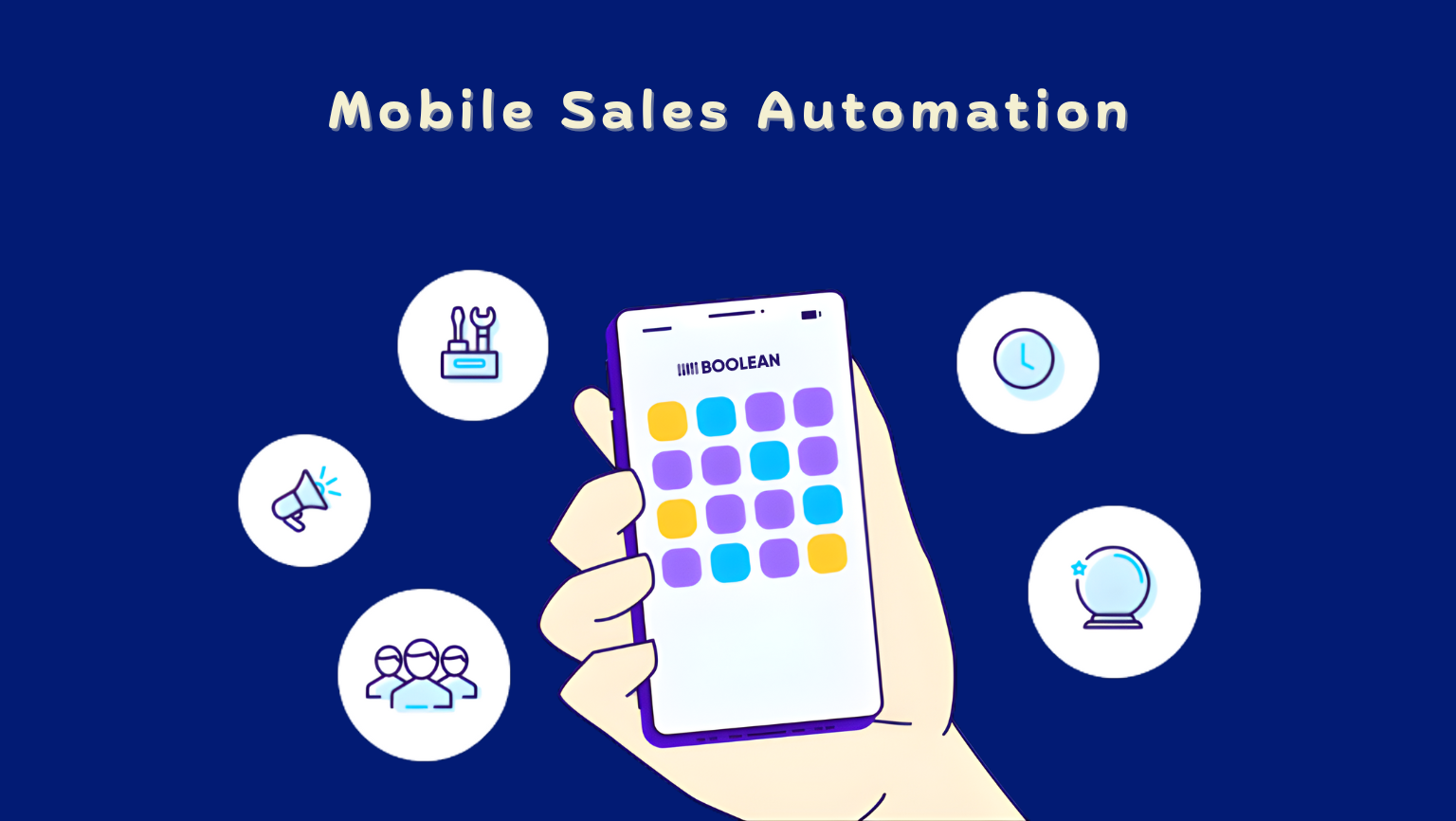
Mobile sales automation means using a phone app to handle the repetitive tasks in sales, so you can spend more time actually selling.
It helps you stay organized, follow a clear process, and move faster from “new lead” to “closed deal.”
In simple words, it is like having a sales notebook, a reminder system, and a smart helper all in one place on your phone.
It often includes tools like:
- Mobile CRM solutions to store customer details and deal notes
- Sales force automation software to guide the steps of your sales process
- AI sales automation tools that help you decide what to do next based on data
What gets automated in daily sales work?
A lot of sales work is not the sales talk. It is the stuff around it.
Here are common tasks mobile apps can automate:
- Saving contact details and updates using automated data entry
- Logging calls, emails, and meetings without extra effort
- Setting reminders and sending messages using automated follow-up systems
- Keeping your pipeline clean with smart sales workflows
- Scoring and sorting leads with predictive lead scoring
- Filtering out weak leads with lead qualification automation
- Keeping everyone aligned with remote sales team management
- Tracking progress with mobile sales tracking
- Showing updates with real time sales analytics
You still make the final decisions. The app just removes the busywork and helps you avoid missed steps.
To see how this cuts everyday mistakes, you can read How Mobile Apps Reduce Operational Errors in Growing Businesses.
Why does it matter so much now?
Because buyers move faster than before.
People do research on their own. They compare options quickly. They expect quick replies. If your follow-up is late, they may already be talking to someone else.
You can see how this speeds up the whole buying journey in How Mobile Apps Shorten the Customer Buying Cycle.
Mobile automation helps because it works wherever you are. At your desk. On the road. Between meetings.
It also keeps your information in one place. That is a big deal. When sales information is scattered across messages and notebooks, it is easy to forget what happened.
What role does AI play in mobile sales automation?
Regular automation follows set rules. AI goes further.
Artificial intelligence in sales helps you spot patterns and make smarter choices. It learns from your past activity, your team’s results, and customer behavior.
Here are simple examples of what AI can do inside a sales app:
- Suggest which leads to call first using predictive lead scoring
- Help your team understand what is working using B2B sales intelligence
- Help you write and improve messages using generative AI for sales
- Highlight deals that may slip using sales forecasting algorithms
- Show what customers feel after a call using customer sentiment analysis
- Turn spoken notes into text using voice to text CRM
- Help you respond faster using intelligent virtual assistants
- Answer common questions using conversational AI chatbots
- Understand written messages better using Natural Language Processing (NLP) in sales
- Connect tools together using CRM integration with AI
So instead of only storing information, the app helps you use it.
A quick example: without automation vs with automation
| Task | Without mobile automation | With AI-powered mobile automation |
| Lead follow-up | You remember or forget | App nudges you with automated follow-up systems |
| Choosing who to call | Guesswork | Predictive lead scoring ranks leads |
| Updating CRM | Manual typing | Automated data entry saves time |
| Managing field visits | Notes in phone or paper | Field sales management tools keep plans clear |
| Reporting to manager | End-of-week scramble | Real time sales analytics updates instantly |
This is why companies invest in sales enablement technology and sales productivity software. Not to make sales robotic. It is to remove friction.
Who benefits the most?
Mobile sales automation helps many types of teams, including:
- Inside sales teams working from laptops and phones
- Field reps who travel and meet customers in person
- Remote teams who need clear handoffs and visibility
- Small business owners who do sales plus everything else
If you run a local shop or service, you can learn more in How to Use Mobile Apps to Grow Your Local Business.
If your team uses spreadsheets, sticky notes, or “I will remember later,” this change can feel huge.
Why some businesses build their own app
Some teams need a special flow. Maybe you sell across many regions. Maybe you want a unique way to track visits. Maybe you want a custom dashboard that matches how your managers think.
In those cases, working with a top mobile app development company in the USA can help you create a mobile app that fits your process. Instead of forcing your process to fit the app.
If you want help picking the right partner, see How to Choose the Right App Development Company for Your Business.
Key AI Features Found in Modern Mobile Sales Apps
Modern mobile sales apps are no longer just digital address books. They can act more like a smart helper that keeps your sales day on track.
Some features save time. Some help you make better choices. A few can even help you write and reply faster.
Below are the top mobile app features you will see most often in today’s tools, explained in simple terms.
1) Predictive lead scoring (knowing who is most likely to buy)
Not every lead is worth the same effort. Some people are curious. Some are ready. Some will never reply.
Predictive lead scoring looks at patterns from past deals and current behavior, then gives leads a score. A higher score usually means a higher chance to convert.
What it helps with:
- Faster priority setting
- Less time wasted on cold leads
- Better daily calling lists
This supports lead qualification automation, so your pipeline is not full of “maybe someday” contacts.
2) Lead qualification automation (sorting leads automatically)
This feature helps you quickly separate strong leads from weak ones. It can look at job title, company size, past actions, and response behavior.
It is like having a quick filter that says:
- “Talk to this one now”
- “Nurture this one later”
- “This one is not a fit”
This is where AI sales automation tools become very practical, especially for busy teams.
3) Smart sales workflows (clear next steps without guessing)
Sales can feel confusing when you are juggling many deals. Smart workflows reduce that stress.
Smart sales workflows can suggest next actions like:
- Send a follow-up message
- Book a call
- Share a product sheet
- Loop in a teammate
Many sales force automation software systems use this to keep deals moving and keep the process consistent across the team.
4) Automated data entry (less typing, fewer mistakes)
Typing updates after every call is tiring. Also it does not always happen.
With automated data entry, mobile apps can capture details automatically, such as:
- Call logs
- Meeting notes
- Email activity
- Contact updates
This keeps your mobile CRM solutions clean and up to date. It also improves reporting because the information is actually there.
5) Voice to text CRM (talk, do not type)
When you are on the go, typing long notes is not fun. This feature lets you speak naturally and turns it into written notes.
Voice to text CRM is useful for:
- Field reps after a meeting
- Quick updates between calls
- Capturing details before you forget
It saves time, and it feels easy.
6) Conversational AI chatbots (instant replies and lead capture)
Many businesses lose leads because nobody replies quickly enough.
Conversational AI chatbots can handle first responses, basic questions, and even appointment booking. They can also collect details like name, company, and need.
This helps with:
- Faster response time
- Better lead capture after hours
- Smoother handoff to a human rep
It also improves consistency. Every lead gets a reply.
7) Intelligent virtual assistants (a “helper” inside the app)
An intelligent virtual assistant can do small helpful tasks like:
- Remind you to follow up
- Summarize what happened in a deal
- Suggest what to do next
- Pull up customer info quickly
Think of it as a simple assistant that reduces mental load.
This is often part of broader sales productivity software and sales enablement technology.
8) Generative AI for sales (help with writing and content)
Writing messages all day can drain energy. Generative AI for sales can help create:
- First drafts of emails
- Follow-up messages
- Call scripts
- Meeting summaries
You should still review what it suggests, because your voice matters. Still, it can cut your writing time a lot.
9) Customer sentiment analysis (reading the “mood”)
Sometimes a call sounds fine, but the customer may feel unsure. Or excited. Or frustrated.
Customer sentiment analysis looks at messages or call notes and tries to spot emotions and intent.
It can help you:
- Catch risks early
- Identify happy customers for upsell
- Adjust your tone in follow-ups
This is one of those quiet features that can make a big difference over time.
10) Real time sales analytics (seeing what is happening right now)
Waiting until the end of the week to understand performance is too late.
Real time sales analytics can show:
- Which reps are active
- Which deals are moving
- Where leads are dropping off
- What channels bring better results
It also supports mobile sales tracking, so managers and reps have a shared view.
11) Sales forecasting algorithms (planning with better confidence)
Forecasting is basically answering: “How much are we likely to sell this month?”
Sales forecasting algorithms use deal history, deal stage, rep activity, and timing patterns to give a smarter forecast.
This helps with:
- Planning inventory or staffing
- Setting realistic targets
- Avoiding end-of-month surprises
12) CRM integration with AI (keeping everything connected)
Most teams use more than one tool. Email. Calendar. Messaging apps. Meeting tools.
CRM integration with AI helps connect these pieces so the app can pull the right info automatically and keep records updated.
It reduces duplicate work. It also helps build a clearer picture of the customer.
Learn how modern phone tools can take over from old style customer systems in How Mobile Apps Are Replacing Traditional CRM Systems for Businesses.
13) B2B sales intelligence (knowing more before you reach out)
Good outreach starts with understanding who you are talking to.
B2B sales intelligence can surface useful info like:
- Company changes
- Buying signals
- Similar customers
- Industry context
That helps reps personalize messages and avoid sounding generic.
Quick checklist: which features matter most to you?
Use this as a simple guide:
- If you have too many leads: Focus on predictive lead scoring and lead qualification automation
- If follow-ups slip: Focus on automated follow-up systems and smart sales workflows
- If reps hate updating records: Focus on automated data entry and voice to text CRM
- If you need better planning: Focus on real time sales analytics and sales forecasting algorithms
- If you want faster first response: Focus on conversational AI chatbots
Some companies choose ready-made tools. Others want a custom app that matches their exact sales flow. A top mobile app development company USA can help build a mobile experience that fits your team’s habits and customers.
Real Business Use Cases for Inside Sales Teams
Inside sales teams sell from a desk, a laptop, or a phone. They handle lots of leads. They send many messages. They live on follow-ups.
That is why AI-powered mobile apps can make a big difference here. Not in a “replace people” way. In a “help people win more deals with less stress” way.
Below are real use cases that show how inside teams use AI sales automation tools and mobile CRM solutions day to day.
Use case 1: Prioritizing the right leads before the day starts
Problem: Reps open the CRM and see a long list of leads. They guess who to call first. Time gets wasted.
What the app does:
- Uses predictive lead scoring to rank leads by likelihood to buy
- Uses lead qualification automation to push weak leads lower
- Adds context using B2B sales intelligence so the rep knows why a lead matters
What it looks like in real life:
- A rep starts the day with a short “top leads” list
- Calls happen faster
- The team spends more time on people who are actually interested
Why it matters:
- More wins with the same effort
- Less burnout from chasing dead ends
Use case 2: Cutting follow-up mistakes with automated reminders
Problem: Follow-ups are easy to miss, especially when a rep is handling many conversations at once.
What the app does:
- Sets tasks automatically after calls and emails
- Uses automated follow-up systems to remind reps at the right time
- Suggests next steps using smart sales workflows
What it looks like:
- After a call, the app creates a follow-up task for tomorrow
- If the lead does not reply, the app prompts another touch
- Managers can see if deals are being ignored through mobile sales tracking
Why it matters:
- Fewer leads slip away
- The pipeline stays active without constant manual tracking
Use case 3: Faster outreach with better messages
Problem: Writing the “perfect” email takes time. Many reps end up sending rushed or boring messages.
What the app does:
- Uses generative AI for sales to draft emails and follow-ups
- Adjusts tone based on what worked before
- Suggests quick replies inside the app
What it looks like:
- A rep taps a button and gets three follow-up options
- They choose one and edit it to sound like them
- They send it in less than a minute
Why it matters:
- More consistent outreach
- More time for calls and meetings
- Better first impressions
Use case 4: Keeping the CRM updated without extra work
Problem: Reps hate updating CRM. When it is not updated, the whole team suffers.
What the app does:
- Fills in activity details using automated data entry
- Captures call notes quickly using voice to text CRM
- Keeps records clean through CRM integration with AI
What it looks like:
- After a call, the rep speaks two sentences
- The app turns it into notes and saves it to the right contact
- The deal stage updates automatically when certain actions happen
Why it matters:
- Cleaner pipeline
- Better handoffs between team members
- More accurate reporting
Use case 5: Instant answers for common questions
Problem: Leads ask the same basic questions again and again. Pricing ranges. Setup time. Availability. Features.
What the app does:
- Uses conversational AI chatbots to answer common questions fast
- Uses intelligent virtual assistants to help reps pull info while they are on a call
What it looks like:
- A lead asks a question on the website after hours
- The chatbot answers and books a time
- The next morning the rep sees a summary and continues the conversation
Why it matters:
- Faster response time
- More booked meetings
- Less repetitive work for reps
Use case 6: Spotting deal risk early with sentiment and signals
Problem: Some deals look fine in the CRM, but the customer is losing interest. The rep notices too late.
What the app does:
- Uses customer sentiment analysis to flag negative or uncertain signals
- Highlights slowing activity through real time sales analytics
- Suggests actions through sales enablement technology
What it looks like:
- The app notices fewer replies plus a negative tone in messages
- It marks the deal as “at risk”
- It suggests a helpful next step like a short check-in call or a clear offer
Why it matters:
- Fewer surprise losses
- Better coaching for reps
- More stable revenue
To see how this leads to longer lasting relationships, read How Mobile Apps Improve Customer Retention for Businesses.
Use case 7: Better weekly reviews and coaching
Problem: Managers spend hours asking for updates. Reps spend hours explaining what happened.
What the app does:
- Tracks activity with mobile sales tracking
- Summarizes pipeline health using real time sales analytics
- Supports planning with sales forecasting algorithms
What it looks like:
- A manager opens the dashboard and sees pipeline changes
- They coach based on facts, not guesses
- Reps feel supported because the feedback is clear
Why it matters:
- Less “status meeting fatigue”
- Better performance without micromanaging
- More predictable results
Simple takeaway for inside sales teams
Inside sales is high volume. Small delays cost deals. That is why sales productivity software matters so much here.
If your inside team is growing fast or your current tools feel messy, you may also consider custom setup. A leading mobile app development company can shape the app around your exact process so it feels natural for reps and easy for managers.
Real Business Use Cases for Field and Remote Sales Teams
Field sales teams meet customers in person. Remote sales teams work from different cities and time zones. Both have one thing in common. They cannot rely on sticky notes and “I will update it later.”
When you are moving all day, small delays turn into lost deals. A missed follow-up. A forgotten detail. A manager who has no idea what is happening.
This is where mobile apps with AI help the most. They keep everything connected and they reduce the load on the rep.
Here are real ways teams use these tools.
Use case 1: Planning visits and staying on schedule
Problem: Field reps often waste time figuring out where to go next. Visits get planned in a messy way. Some areas get ignored.
What the app does:
- Supports daily planning with field sales management tools
- Tracks progress with mobile sales tracking
- Uses smart sales workflows to keep the day structured
What it looks like:
- A rep starts the morning with a clear list of visits
- Each visit has notes, contact info, and goals
- After the meeting, the next step is already suggested
Why it matters:
- Less driving around with no plan
- More meetings per week
- Better coverage of key accounts
Use case 2: Quick updates right after a meeting
Problem: After a customer visit, reps forget details by the time they get home. CRM updates become a weekend chore.
What the app does:
- Captures notes instantly with voice to text CRM
- Saves activity using automated data entry
- Keeps everything organized through mobile CRM solutions
What it looks like:
- A rep walks out of a meeting and speaks quick notes into the app
- The app turns it into clean text
- It saves to the right contact and deal automatically
Why it matters:
- Fewer missed details
- No “catch up” work at night
- Cleaner pipeline for the whole team
Use case 3: Managing a remote team without constant check-ins
Problem: Remote teams can feel disconnected. Managers ask for updates all the time. Reps feel watched, and leaders still lack clarity.
What the app does:
- Supports remote sales team management with shared visibility
- Shows activity and progress using real time sales analytics
- Keeps deal steps consistent using sales force automation software
What it looks like:
- Reps log activity naturally through the app
- Managers see what is happening without asking for daily reports
- Coaching becomes smoother because everyone sees the same facts
Why it matters:
- Less pressure on reps
- Better teamwork
- Stronger results without micromanaging
Use case 4: Handling leads while traveling or between meetings
Problem: Field reps often miss hot leads because they are driving, meeting, or in transit.
What the app does:
- Ranks leads using predictive lead scoring
- Speeds sorting using lead qualification automation
- Pushes reminders using automated follow-up systems
What it looks like:
- A rep gets a notification that a high-score lead just engaged
- The app suggests a quick call or a short message
- The rep follows up during a free moment, not two days later
Why it matters:
- Better response time
- More deals from inbound interest
- Fewer “we went with someone else” moments
Use case 5: Getting instant help during customer conversations
Problem: In the field, you do not always have time to search for info. A customer asks a question and the rep needs an answer now.
What the app does:
- Uses intelligent virtual assistants to pull details fast
- Uses conversational AI chatbots to support basic questions on shared channels
- Uses sales enablement technology to keep key content ready
What it looks like:
- A rep asks the assistant for the last order details
- The app shows the key points in seconds
- The rep sounds prepared and confident
Why it matters:
- Better customer trust
- Fewer delays and “I will get back to you”
- Stronger meeting outcomes
Use case 6: Finding cross-sell and upsell chances with customer signals
Problem: Reps miss revenue opportunities because they do not spot patterns across accounts.
What the app does:
- Uses B2B sales intelligence to highlight changes at the company
- Uses customer sentiment analysis to spot happy customers
- Suggests next steps using AI sales automation tools
What it looks like:
- The app flags an account that is showing positive signals
- It suggests a new product angle that fits their profile
- The rep uses that insight in the next meeting
Why it matters:
- More revenue per account
- Better timing for offers
- More helpful conversations
For more ideas on this topic, you can read How Mobile Apps Improve Upselling and Cross-Selling.
Use case 7: Better forecasting when the team is spread out
Problem: Forecasting becomes shaky when reps are in different places and updates come in late.
What the app does:
- Uses sales forecasting algorithms for more accurate predictions
- Updates dashboards with real time sales analytics
- Keeps records fresh using CRM integration with AI
What it looks like:
- Leaders see forecasts based on real activity, not guesswork
- Deal risks show up early
- Planning becomes easier across regions
Why it matters:
- Fewer end-of-month surprises
- Better decisions on targets and staffing
- Higher confidence across the business
Simple takeaway for field and remote teams
When people are traveling or working remotely, speed matters and clarity matters even more. Mobile tools give both.
If your team has unique needs, some companies go beyond ready-made tools. They build a custom app that matches their routes, their reporting style, and their customer types.
A top mobile app development company USA can help create that kind of fit so the app feels natural in the field.
If you are in retail, you can see more revenue ideas in How Retail Businesses Can Boost Revenue With a Mobile App.
How to Choose the Right AI-Powered Mobile Sales App
Choosing a mobile sales app is not about picking the one with the longest feature list. It is about picking the one your team will actually use. If it feels confusing, it will fail. If it feels helpful, it will stick.
Use the steps below as a simple guide.
1) Start with your real pain points
Before you look at tools, get clear on what is slowing your team down.
Ask simple questions:
- Are we losing deals because follow-ups are late?
- Do we waste time on low-quality leads?
- Do reps avoid updating the CRM?
- Do managers lack visibility into what is happening?
- Do field reps struggle to log meetings on the go?
Match the app to the problem, not the hype.
If your biggest issue is lead quality, focus on predictive lead scoring and lead qualification automation.
If your biggest issue is messy records, focus on automated data entry and voice to text CRM.
2) Check for must-have AI features that fit your workflow
Not all AI features are useful for every team. Pick what supports your daily routine.
Here is a quick checklist of high-impact features:
- AI sales automation tools to suggest next actions
- Smart sales workflows to keep deals moving
- Automated follow-up systems to stop leads from slipping
- Real time sales analytics to see progress without waiting
- Sales forecasting algorithms, if you need better planning
- Customer sentiment analysis if you sell through longer relationships
- Generative AI for sales if your team sends lots of emails and messages
- Conversational AI chatbots, if you want a faster first response
Also check whether the app feels like one of the best mobile sales apps for your team style. Simple screens matter. Clean navigation matters. Speed matters.
3) Make sure it works well for mobile users
A lot of tools claim they are mobile-friendly. Some are not.
A strong mobile experience should include:
- Easy mobile sales tracking with just a few taps
- Quick search for customers and deals
- Offline support or low-data mode if your team travels
- Fast note taking using voice to text CRM
- Simple task lists and reminders
If reps need 10 steps to log a meeting, they will stop doing it.
4) Look for strong CRM integration with AI
Your app should not live in a bubble. It needs to connect with what you already use.
Check for:
- CRM integration with AI so updates sync smoothly
- Email and calendar connection
- Automatic activity capture and automated data entry
- Easy import of contacts and existing pipelines
This reduces double work. It also keeps data reliable for everyone.
5) Ask how it handles lead and account intelligence
Good selling is not only about speed. It is also about knowing who you are talking to.
Look for:
- B2B sales intelligence features that give helpful context
- Clear history of calls, meetings, and messages
- Simple customer profiles that reps can scan quickly
If the app helps your team walk into calls prepared, it is doing its job.
6) Make sure it supports your team type
Different sales teams need different strengths.
Use this simple table:
| Your team type | Focus on these features |
| Inside sales | predictive lead scoring, automated follow-up systems, generative AI for sales |
| Field sales | field sales management tools, voice to text CRM, mobile CRM solutions |
| Remote teams | remote sales team management, real time sales analytics, smart sales workflows |
| Growing teams | sales enablement technology, easy onboarding, simple dashboards |
Also check whether the tool is truly sales productivity software or just a contact list with fancy labels.
7) Test ease of use with real reps, not only managers
A tool can look great in a demo. Real life is different.
Do a short trial and watch for:
- How long does it take to log a call
- How fast a rep can find a customer record
- Whether AI suggestions feel useful or annoying
- Whether reps trust the lead scores
- Whether the app helps them sell more this week, not someday
If the app adds extra work, it is the wrong pick.
8) Check reporting and forecasting quality
Leaders need clear visibility. Reps need clarity too.
Look for:
- Dashboards with real-time sales analytics
- Easy pipeline views
- Risk signals and next-step suggestions
- Forecasting powered by sales forecasting algorithms
If reporting is confusing, people will ignore it.
9) Decide if you need a ready-made app or a custom one
Ready-made apps are great when your process is standard. Custom apps are better when your workflow is unique.
Custom can help when:
- Your sales process has special steps
- You need a unique approval flow
- You want a branded customer experience
- You want to connect with internal systems
In that case, working with a top mobile app development company USA can help you build something that fits your team instead of forcing your team to change how they sell.
Simple takeaway
The right app makes sales feel lighter. The wrong one feels like extra homework.
Choose a tool that matches your real problems, supports your team style, and makes daily actions faster through the right mix of sales force automation software and helpful AI.
Conclusion
AI powered mobile apps are not magic. They are smart helpers in your pocket. They cut busy work and they shine a light on your next step.
With AI sales automation tools and mobile CRM solutions you spend less time on forms and more time in real talks with customers.
Real time sales analytics and smart sales workflows give you faster feedback so you can change your plan before it is too late. Sales productivity software keeps the whole team aligned, even when people work on the road or from home.
You do not need to switch everything at once. You can
- Start with simple automated data entry and voice to text CRM
- Add basic lead qualification automation
- Then, try more advanced tools like customer sentiment analysis or Generative AI for sales
If you work with a top mobile app development company USA you can shape an app that fits the way your team already sells. Step by step, your phone turns into a quiet partner that helps you follow up on time, close more deals and feel less stress at the end of each day.
FAQs
- What are the best AI sales automation tools for small businesses?
Apps that offer automated follow-up systems, automated data entry, and simple mobile CRM solutions give the quickest results for small teams.
- How do mobile CRM solutions improve sales team productivity?
They keep contacts, deals, and tasks in one place so reps can update and follow up faster from anywhere.
- How does predictive lead scoring work in AI-powered mobile sales apps?
It uses past sales patterns and lead behavior to rank leads so reps know who to contact first.
- Can AI-powered sales apps automate follow-ups and data entry safely?
Yes, most trusted tools include permissions and secure syncing while handling routine tasks automatically.
- What features should I look for when choosing the best mobile sales apps for field teams?
Prioritize mobile sales tracking, voice to text CRM, and reliable field sales management tools for fast updates on the go.