
Introduction
Here is something most business owners never track.
How many hours does your team spend every week doing the same repetitive tasks?
Manually entering orders into spreadsheets. Sending the same follow up messages to customers. Updating inventory by hand. Chasing invoices through email threads that go back weeks.
It adds up faster than you think.
A study by McKinsey found that employees spend nearly sixty percent of their working time on repetitive tasks that could easily be automated.
That is more than half your payroll going toward work that technology can handle in seconds.
Let that sink in for a moment.
Take a mid sized retail business as an example. Their team manually updates stock levels every evening after closing.
Two staff members spend roughly ninety minutes each night transferring numbers from paper sheets into a computer system. That is three hours daily. Fifteen hours weekly. Sixty hours every single month spent on one task alone.
One simple mobile app feature eliminates that entirely.
This is not an isolated case. It happens across industries.
Restaurants manually tracking table reservations. Clinics managing appointments through phone calls and paper diaries. Logistics companies updating delivery statuses through WhatsApp group chats.
Every manual process carries a hidden cost. Time. Money. Human error. Missed opportunities.
And here is the part that stings most.
While your team spends hours on repetitive tasks, your competitors using automated systems, spend those same hours serving more customers. Building better products. Growing faster.
The gap between manual businesses and automated ones widens every single year.
According to Salesforce research, 88% of customers say the experience a company provides matters as much as its products or services.
Manual processes create slow experiences. Slow experiences push customers away quietly. They don’t complain loudly. They simply don’t come back.
This is where mobile apps step in and change everything.
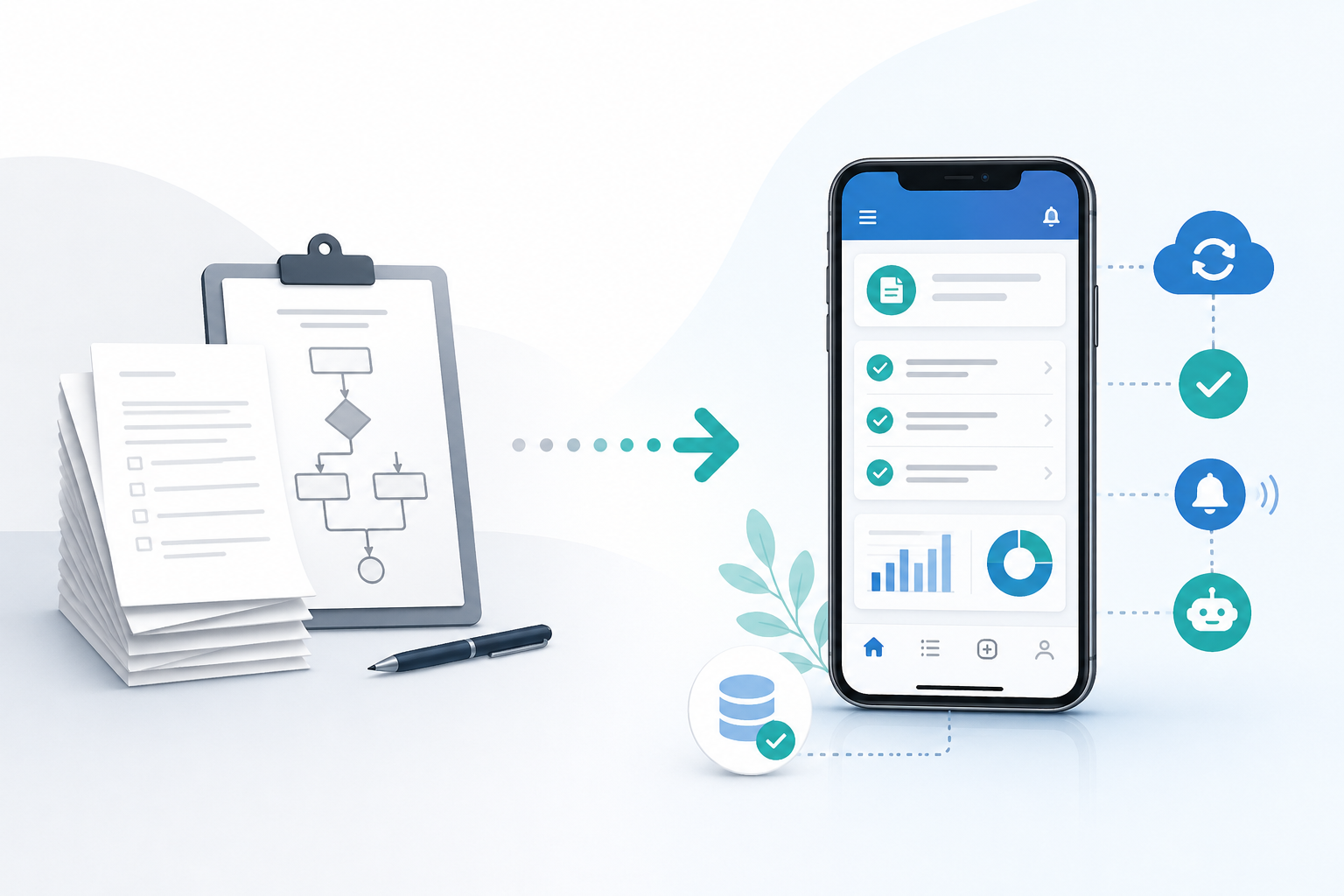
Boolean Inc. specializes in building exactly these kinds of apps. Custom solutions designed around how your business actually works rather than forcing your business to adapt to someone else’s template.
This blog walks you through the full picture. You will understand what business digitization really means beyond the buzzword.
You will see which processes make the most sense to automate first. You will learn what genuinely changes inside a business after automation takes hold.
And you will avoid the common mistakes that trip up businesses when they first go digital.
Let’s get started.
What Business Digitization Actually Means in Simple Terms
Digitization is one of those words that gets thrown around constantly. Every consultant mentions it. Every business article references it.
But very few people explain what it actually means for a real business running daily operations.
So, let’s strip it back completely.
Digitization simply means replacing paper based and manual processes with digital systems that handle the same work faster and more accurately. That’s it. Nothing more complicated than that.
But here is where most businesses get confused.
Having a computer does not mean your business is digitized. Using WhatsApp for customer communication does not count. Even having a basic website barely scratches the surface.
Real digitization means your core business processes run through connected digital systems that talk to each other automatically.
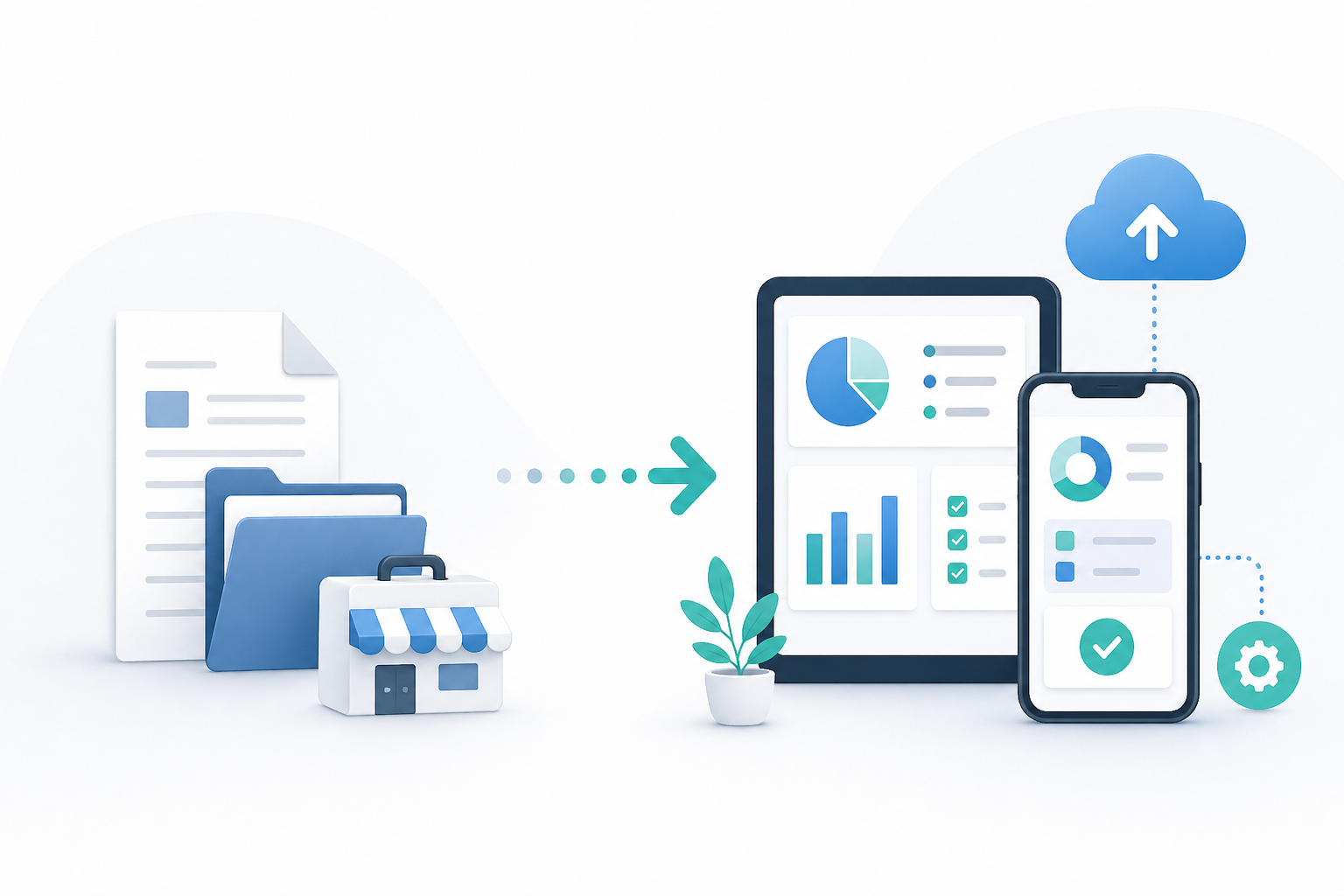
A Simple Before and After Picture
Let’s use a pharmacy as an example.
Before digitization:
- Customers call to check medicine availability
- Staff manually search physical stock records
- Prescriptions get written on paper and filed in folders
- Reorder requests go through phone calls to suppliers
- Customer purchase history lives in handwritten notebooks
After digitization through a mobile app:
- Customers check stock availability directly through the app
- Inventory updates automatically with every sale
- Digital prescriptions get stored and retrieved instantly
- Stock falls below minimum level and supplier gets notified automatically
- Every customer purchase sits in a searchable digital record
Same pharmacy. Same products. Completely different operation.
The staff that spent hours searching records now spend those hours serving customers better.
The errors that came from handwritten notes disappear. The customers who called five times to check availability now check themselves in thirty seconds.
Digitization vs Automation: Know the Difference
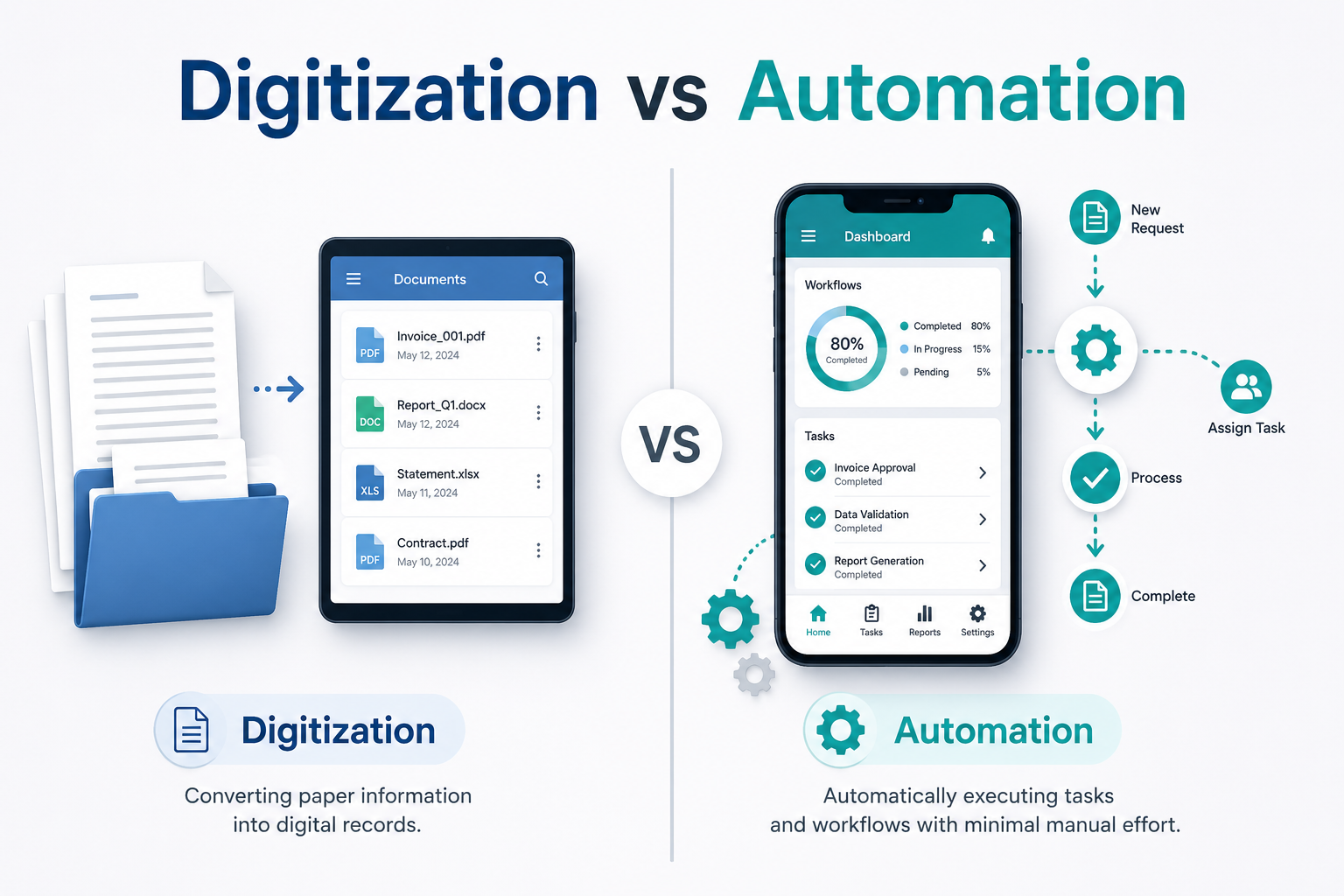
These two words often get used interchangeably. They are related but not identical.
| Digitization | Automation |
| Moving processes from paper to digital | Making digital processes run without human input |
| First step in transformation | Next step after digitization |
| Requires some human involvement still | Runs independently once set up |
| Example: Digital order forms | Example: Orders automatically sent to kitchen |
Think of digitization as building the road. Automation is the vehicle that drives on it.
You need both working together to see real results. A digital system that still requires constant human input only solves half the problem. The goal is digital systems that handle routine tasks completely on their own.
This is exactly what turning business workflows into proper mobile app features achieves when done correctly. Your specific processes become automated actions inside a system built around your actual operation.
Why Mobile Apps Specifically
Laptops exist. Desktop software exists. Cloud platforms exist. Why do mobile apps specifically make such a difference for business digitization?
Three reasons.
- First your team always has their phone. A desktop system only works when someone sits at a desk. A mobile app works on a factory floor. In a delivery van. At a customer’s location. In a warehouse. Anywhere business actually happens.
- Second customers already live on their phones. Meeting them where they already spend time removes friction from every interaction. No learning curve. No new habits required.
- Third mobile apps connect everything in real time. A sale happens in your physical store and inventory updates instantly on every device. A customer places an order and your kitchen or warehouse knows about it within seconds. Real time connection between people and processes changes how quickly businesses can respond.
What Digitization Is Not
Just as important as understanding what digitization means is understanding what it is not.
It is not buying expensive software that nobody uses. It is not creating a fancy app that looks impressive but doesn’t connect to actual operations. It is not digitizing processes that should simply be eliminated; instead.
Many businesses make the mistake of automating broken processes. They take something inefficient and make it run faster digitally. But a faster broken process is still a broken process.
Before digitizing anything worth asking is whether that process should exist at all.
Sometimes the best outcome of reviewing manual processes is discovering that three steps can become one. Or that a whole process is unnecessary entirely.
Start with clarity. Then digitize. Then automate.
Which Business Processes Should You Automate First
Not everything needs automating at once.
Trying to digitize your entire operation simultaneously is one of the fastest ways to create chaos instead of calm. Systems clash. Teams get overwhelmed. Nothing works properly because everything changed at the same time.
Smart businesses pick starting points carefully.
The best processes to automate first share three qualities. They happen repeatedly. They consume significant time. And they don’t require complex human judgment to complete.
Here is a practical way to think about it.
Ask your team one simple question. What tasks do you do every day that feel like a waste of your time?
Their answers will point you directly toward your best automation starting points.
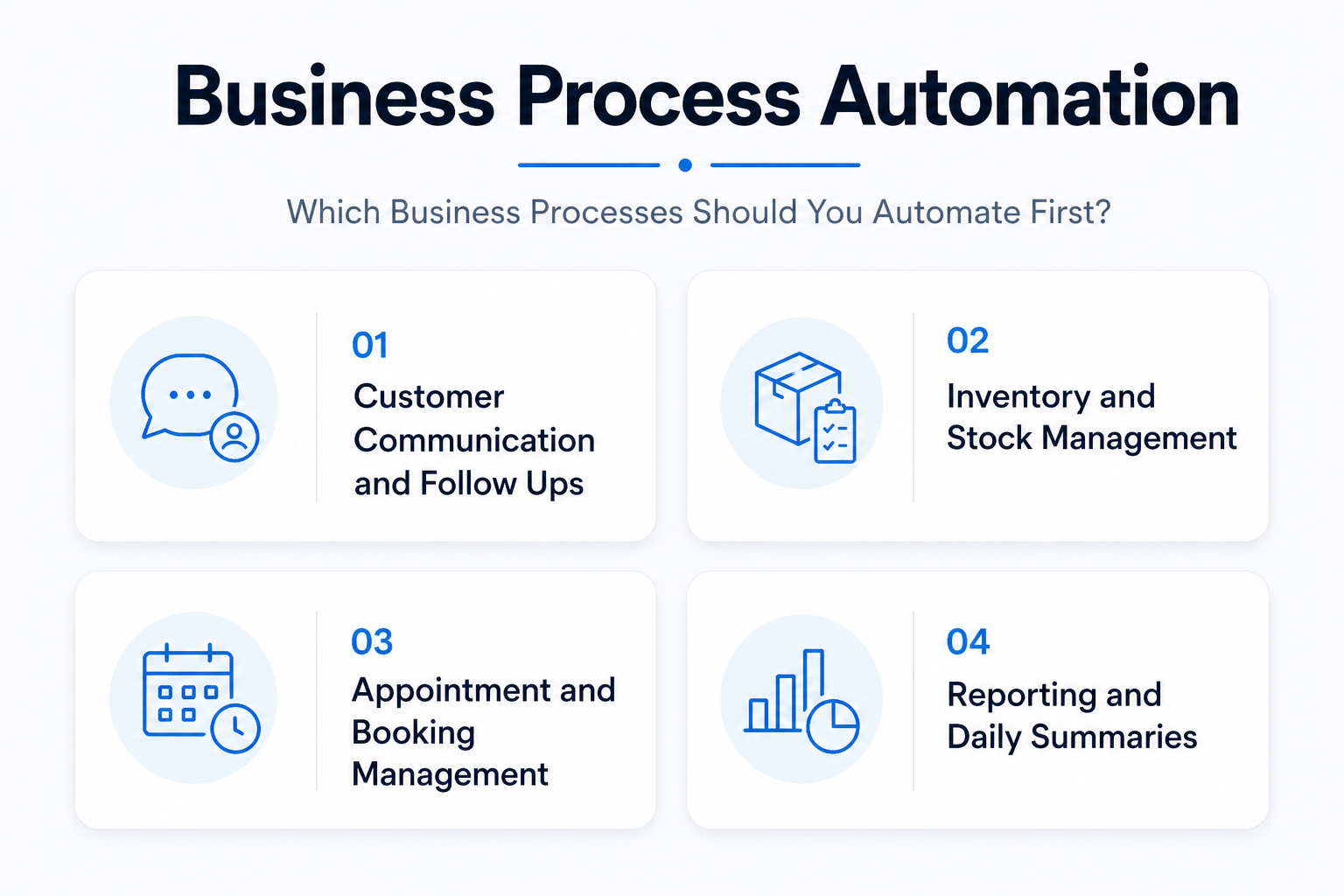
Start With These First
Customer communication and follow ups
Confirming orders. Sending appointment reminders. Following up after purchases. These happen dozens of times daily in most businesses.
Each one takes a few minutes individually. Together, they consume hours.
A mobile app handles every single one automatically. The right message reaches the right customer at exactly the right moment without anyone lifting a finger.
Inventory and stock management
Manual stock counting creates errors. Products run out unexpectedly. Overstocking ties up cash unnecessarily. These problems cost businesses real money every month.
Automating inventory through a mobile app means stock levels update with every transaction. Low stock triggers automatic alerts. Reorder requests go out before shelves empty. No surprises. No emergency calls to suppliers at closing time.
Appointment and booking management
Phone based booking systems waste enormous amounts of staff time. Customers call. Staff check availability manually. Someone writes it in a diary. Confirmations go out through separate messages.
One app feature replaces this entire chain. Customers book themselves. Confirmations send automatically. Reminders go out the day before. Cancellations free up slots instantly for other customers.
Reporting and daily summaries
How long does someone in your business spend compiling daily sales reports? Weekly performance summaries? Monthly inventory counts?
These reports generate themselves inside a properly built mobile app. Numbers pull from real transactions automatically. Reports arrive in inboxes without anyone spending an hour building spreadsheets.
A Real Example Worth Noting
A salon chain with four locations struggled with appointment management across all branches. Each location maintained separate booking diaries.
Staff spent roughly two hours daily managing calls, confirmations and cancellations.
After moving bookings entirely to a mobile app, the time dropped to under twenty minutes daily across all four locations combined.
Staff redirected those recovered hours toward actual customer service. Customer satisfaction scores improved within the first month.
The app didn’t replace the staff. It freed them to do work that actually required human skill.
Businesses serious about automating their daily operations through mobile apps consistently report that starting small and focused produces better results than attempting full digitization immediately.
Pick one process. Automate it properly. Measure the difference. Then move to the next one.
How Mobile Apps Turn Everyday Tasks into Automatic Actions
This is where things get practical.
Understanding why automation matters is one thing. Seeing exactly how a mobile app transforms specific daily tasks is something else entirely.
Let’s walk through what this actually looks like inside a real business.
The Journey of a Single Customer Order
Before automation, a typical order process looks something like this.
Customer calls to place an order.
Staff writes it down.
The order goes to the back team verbally or through a WhatsApp message.
Someone updates the inventory manually.
A confirmation message gets typed and sent individually.
An invoice gets created separately.
Payment gets recorded somewhere else entirely.
Six separate steps. Five different chances for human error.
Now, with a mobile app, the same journey looks completely different.
Customer places order through the app.
Inventory updates instantly.
The back team receives automatic notification.
Confirmation reaches the customer within seconds.
The invoice generates automatically.
Payment records themselves.
Same outcome. Zero manual steps in between.
What Happens Behind the Scenes
Most business owners focus on what customers see inside an app. The design. The ordering flow. The loyalty points.
But the real value lives behind the scenes.
Every customer action inside the app triggers a chain of automatic responses. A purchase updates inventory and notifies fulfillment, records revenue and schedules a follow up message all simultaneously. No human coordinates this chain. The system handles it completely.
This connected background operation is what replacing traditional CRM systems with mobile apps actually means in practice. Customer information. Purchase history. Communication records. All updating automatically without manual data entry.
Tasks That Disappear Completely
Here is something business owners find genuinely surprising after launching a proper mobile app.
Certain tasks don’t just get faster. They disappear entirely.
- Nobody manually sends order confirmations anymore
- Nobody updates spreadsheets with daily sales figures
- Nobody calls customers to remind them about appointments
- Nobody compiles weekly inventory reports by hand
- Nobody chases customers for feedback individually
These tasks consumed real hours every single week. Hours that simply free up once automation takes over.
Where Human Effort Actually Belongs
Automation doesn’t eliminate the need for people. It redirects them toward work that genuinely requires human skill.
Handling complex customer complaints. Building relationships with key clients. Making strategic decisions about product direction. Training new team members. These tasks need real human attention and judgment.
Manual data entry and repetitive messaging do not.
When your team stops spending energy on tasks a system can handle, they bring noticeably more focus and quality to work that actually matters.
That shift alone changes the feel of an entire business operation.
What Changes Inside Your Business After Automation
Most business owners expect automation to save time. It does. But the changes that follow go much deeper than that.
When repetitive tasks stop consuming your team’s energy, something interesting happens. The entire rhythm of your business shifts. Problems surface earlier. Decisions happen faster. Growth feels less chaotic.
Let’s look at what genuinely changes.
Your Team Works Differently
The first change happens with your people.
Staff who spent hours on repetitive tasks suddenly have capacity they didn’t have before. They don’t immediately know what to do with it. That’s normal. The transition takes a few weeks.
But then something clicks.
They start noticing customer needs they previously missed because they were too busy with admin.
They bring ideas to improve processes because they finally have mental space to think.
They engage more meaningfully with customers because routine tasks no longer drain their focus.
A logistics company in the UK made this observation after automating their delivery update system. Drivers previously spent thirty minutes at the end of each shift manually updating delivery statuses.
After automation, that time disappeared completely. Drivers started using those thirty minutes to handle customer queries directly. Customer satisfaction scores climbed 14% within two months.
Time savings created human capacity. Human capacity improved customer experience.
Errors Drop Significantly
Manual processes carry human error as a permanent feature. Not because people are careless. Simply because humans get tired, distracted and overwhelmed.
Automated systems don’t experience any of that.
A wrong delivery address entered once gets corrected in the system permanently. An inventory count updates accurately every single time, regardless of how busy the day gets.
A customer follow up sends at exactly the right moment, whether your team is fully staffed or running short that day.
According to a report by IBM, human error contributes to roughly 95% of cybersecurity breaches and a significant portion of operational mistakes in businesses. Removing human involvement from repetitive processes removes the primary source of those errors.
Fewer errors mean fewer customer complaints. Fewer complaints mean less time spent on damage control. Less damage control means more time spent on actual growth.
You See Your Business More Clearly
This change surprises most business owners.
Before automation, information lives scattered across people, notebooks, WhatsApp chats and spreadsheets.
Getting a clear picture of how the business is actually performing requires collecting data from multiple sources manually. By the time you compile everything, the information is already outdated.
After automation, everything flows into one system in real time.
Which products sell fastest on weekends? Which customers haven’t purchased in sixty days? Which team member resolves support requests most efficiently? Which location performs strongest during holiday periods?
These answers sit inside your app data, updated constantly without anyone compiling them manually.
AI driven insights inside mobile apps take this visibility even further. Patterns that would take humans weeks to spot emerge automatically.
Opportunities become visible before they become obvious. Risks appear early enough to address rather than react to.
Better information produces better decisions. Better decisions produce better results. The logic is straightforward, but the impact is significant.
Customer Experience Improves Without Extra Effort
Here is something counterintuitive.
Automation makes customer experience feel more personal, not less.
When your system knows a customer’s purchase history, it can send relevant recommendations. When it tracks their preferences, it can offer appropriate promotions.
When it monitors their behavior, it can reach out at exactly the right moment with exactly the right message.
None of this requires a staff member manually reviewing individual customer files. The app handles personalization automatically at scale.
A single staff member cannot personally remember the preferences of five hundred customers. An app handles five thousand without breaking a sweat.
This kind of personalized experience at scale is exactly how mobile apps improve customer retention in ways that manual processes simply cannot match, regardless of how dedicated your team is.
Growth Stops Breaking Things
Here is the painful reality of growing a manual business.
More customers mean more manual work. More orders mean more spreadsheet entries. More locations mean more coordination headaches. Every growth milestone brings proportional increases in operational complexity.
At some point, the business cannot grow further without hiring significantly more people just to maintain operations. Growth becomes expensive. Margins shrink. The business plateaus.
Automated systems scale differently.
Double your customer base and your app handles double the orders without adding operational staff. Open a new location and connect it to the same system within days. Launch a new product and it appears across every channel simultaneously.
Growth adds revenue without adding proportional complexity. This is the fundamental difference between building scalable mobile apps from the start versus patching manual systems as problems emerge.
The businesses that grow smoothly planned for scale before they needed it. The ones that struggle built systems for where they were rather than where they were going.
Your Business Becomes More Valuable
This final change often gets overlooked completely.
A business that runs on documented automated systems is worth significantly more than one that depends on specific people remembering specific processes.
Investors and buyers look for businesses that operate independently of any single person.
Automated systems demonstrate that the business runs on process, not personality. That makes it predictable. Predictable businesses attract serious interest.
Even if selling your business is nowhere near your current plans, building automated systems creates an asset rather than just an operation.
Something with documented processes, clean data and consistent performance tells a compelling story to anyone evaluating its worth.
Common Mistakes Businesses Make When Going Digital
Going digital is exciting. But excitement sometimes leads to rushed decisions.
Most businesses hit predictable obstacles during digitization. The good news is these mistakes are well documented.
You can avoid them entirely by knowing what to watch for before you start.
Automating Broken Processes
This is the most common mistake of all.
A business takes a process that already doesn’t work well and digitizes it exactly as it exists. The result is a broken process that now runs faster. Speed without accuracy solves nothing.
Before automating anything, step back and ask one honest question. Does this process actually make sense? If the answer is no, fix it first, then automate it.
Choosing Tools That Don’t Connect
Many businesses buy separate digital tools for separate problems. One app for inventory. Another for customer communication. A different platform for appointments. Yet another for payments.
Each tool works fine alone. Together, they create a fragmented mess.
Data sits in separate systems that never talk to each other. Staff switch between multiple apps constantly. Information gets duplicated and sometimes contradicts itself across platforms.
This is exactly the problem that custom mobile apps solve compared to multiple SaaS tools. One connected system beats five disconnected ones every single time.
Ignoring Team Training
A powerful app sitting unused helps nobody.
Businesses sometimes invest significantly in building the right digital tools, then spend almost nothing on training staff to use them. Team members revert to old habits because familiar feels safer than new.
Proper training is not optional. It is the difference between a successful digital transition and an expensive shelf product.
Expecting Overnight Results
Automation delivers real results. But rarely immediately.
Systems need time to gather meaningful data. Teams need time to adjust workflows. Customers need time to adopt new ways of interacting with your business.
Businesses that abandon digital tools after a few weeks miss the point entirely. The compounding benefits of automation build over months, not days.
Patience during the early period separates businesses that succeed digitally from those that give up too soon and conclude that technology doesn’t work for them.
Building for Today Instead of Tomorrow
Some businesses build digital systems around their current size and current needs. Six months later, they outgrow those systems completely.
Always build with growth in mind. A system that works perfectly for fifty customers should handle five thousand without requiring a complete rebuild.
This forward thinking approach is what separates businesses that scale smoothly from those that hit digital ceilings just when momentum builds.
Conclusion
Let’s be honest about something.
Manual processes were never a long term solution. They were a starting point.
Every successful business eventually reaches a moment where doing things by hand stops being practical and starts being a liability.
That moment arrives sooner than most business owners expect.
The businesses pulling ahead right now share one common thread. They stopped treating automation as an optional upgrade and started treating it as a core part of how they operate.
They freed their teams from repetitive work. They connected their processes into systems that run consistently. They made decisions based on real data rather than gut feelings.
The gap between manual businesses and automated ones grows wider every single year. Waiting costs more than acting.
Start small if you need to. Pick one process. Digitize it properly. Measure what changes. Then move to the next one. Progress compounds quickly once momentum builds.
And if you are unsure where to begin, Boolean Inc. works with businesses to identify exactly which processes will deliver the most impact when automated first.
Your business deserves to run smarter. Not just harder.
FAQs
- What is business process automation?
It is the use of digital systems to handle repetitive business tasks automatically without manual effort.
- Can small businesses benefit from mobile app automation?
Yes, even small teams save time and reduce errors by automating daily operations.
- How long does it take to digitize business processes?
Basic automation can start within weeks, while full digitization depends on business size and complexity.
- Will automation replace my staff?
No, it frees your team from repetitive tasks so they can focus on higher value work.
- Is a mobile app better than spreadsheets for managing operations?
Yes, mobile apps connect data in real time and reduce errors compared to manual spreadsheet management.