Introduction
Every business owner knows that feeling.
You spend half your day on repetitive tasks that eat up time but do not move the needle. Sending reminders. Updating spreadsheets. Tracking inventory. Following up with customers.
What if those hours could disappear?
Not the work itself. Just the manual part. The clicking and typing and copying and pasting that make you wonder if this is really why you started a business.
This is where mobile app automation changes everything.
Smart businesses are already using mobile apps to handle the boring stuff automatically. While their competitors type away, they are focused on growth. On strategy. On things that actually matter.
At Boolean Inc. we have helped dozens of companies escape the repetitive task trap.
We have seen firsthand how the right mobile app can transform a chaotic operation into a smooth machine. One that runs itself most of the time.
And here is the best part. Automation is not just for big corporations anymore. Small and medium businesses are jumping in, too. They are automating customer support. Sales follow-ups. Inventory management. Even employee scheduling.
The results speak for themselves. Less human error. Faster response times. Happier employees who finally get to use their brains instead of just their fingers.
If you have ever wondered how mobile apps reduce operational errors in growing businesses, then this guide will show you exactly how it works.
Ready to take back your time? Let us dive in.
What Is Mobile App Automation for Business?
Let me break this down.
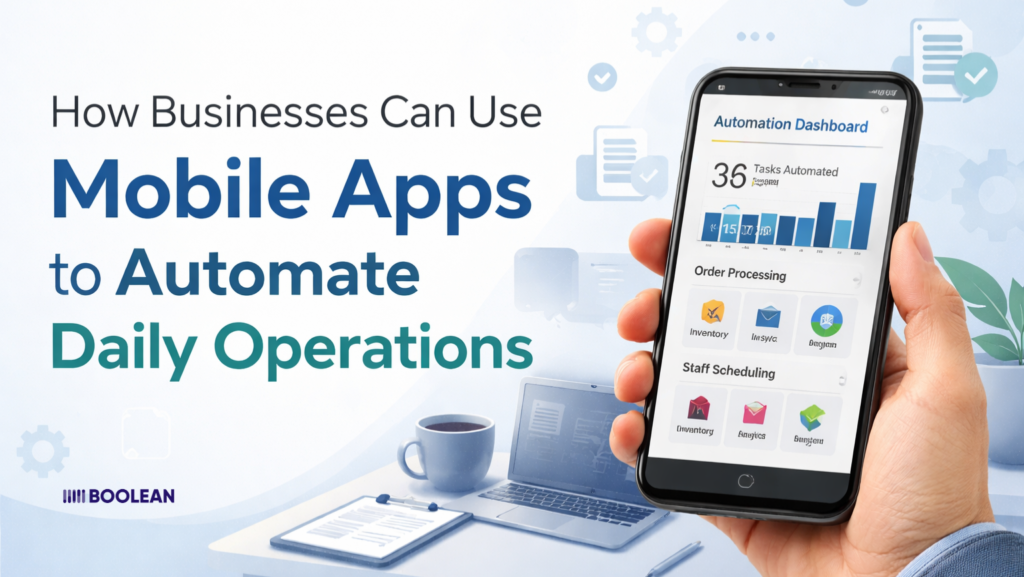
Mobile app automation means using an app to do tasks without human involvement.
The app handles the work that used to require someone sitting at a desk. Clicking buttons. Moving data. Sending messages.
It is like having a robot assistant inside your phone.
But instead of a physical robot, it is software. Smart software that knows exactly what to do and when to do it. No coffee breaks needed. No sick days. Just consistent work around the clock.
Here is a simple example.
A customer places an order on your app.
Normally, someone would manually check that order. Update inventory. Send a confirmation email. Notify the shipping team. Process payment. Track everything in a spreadsheet.
With automation, all that happens instantly. The app does everything in seconds. No human touches anything until the package need packing.
That is the power we are talking about.
What Can Actually Be Automated?
People always ask this. The answer might surprise you.
Almost any repetitive task can be automated through a mobile app. If you do something the same way more than twice a week then it is probably a candidate for automation.
Think about these common business tasks:
- Data entry – Information flows between systems automatically
- Notifications – Alerts go out based on specific triggers
- Report generation – Numbers get crunched and formatted without you
- Task assignment – Work gets distributed to the right people instantly
- Follow-ups – Reminders and check-ins happen like clockwork
- Status updates – Everyone stays informed without endless emails
The goal is not to replace people. It is to free them from mindless work so they can focus on creative problems. Strategic thinking. Building relationships. The human stuff that actually grows your business.
How Is This Different From Old-School Automation?
Good question.
Traditional automation usually meant expensive software sitting on office computers. Complex systems that took months to set up. Stuff only big companies could afford.
Mobile apps changed the game completely.
Now automation lives in your pocket. Your employees carry it everywhere. Updates happen in real-time no matter where anyone is working. The coffee shop becomes as powerful as the corner office.
Plus, mobile apps talk to each other. Your inventory app can trigger your accounting app. Your sales app updates your customer service app. Everything connects and flows together.
This shift is already happening. Smart businesses are building scalable mobile apps for rapidly growing businesses because they know automation is not optional anymore.
The Real Magic: Intelligence Meets Automation
Here is where things get really interesting.
Modern mobile apps do not just follow rules blindly. They learn patterns. They spot trends. They make smart decisions based on data.
An automated app might notice that orders spike every Tuesday afternoon. So it adjusts inventory alerts accordingly. Or it sees that certain customers always pay late and sends them earlier reminders.
This is automation with a brain. Not just following a script but actually thinking ahead.
The businesses winning right now are the ones combining automation with intelligence. They are not just working faster. They are working smarter, too.
Daily Operations You Can Automate Right Now
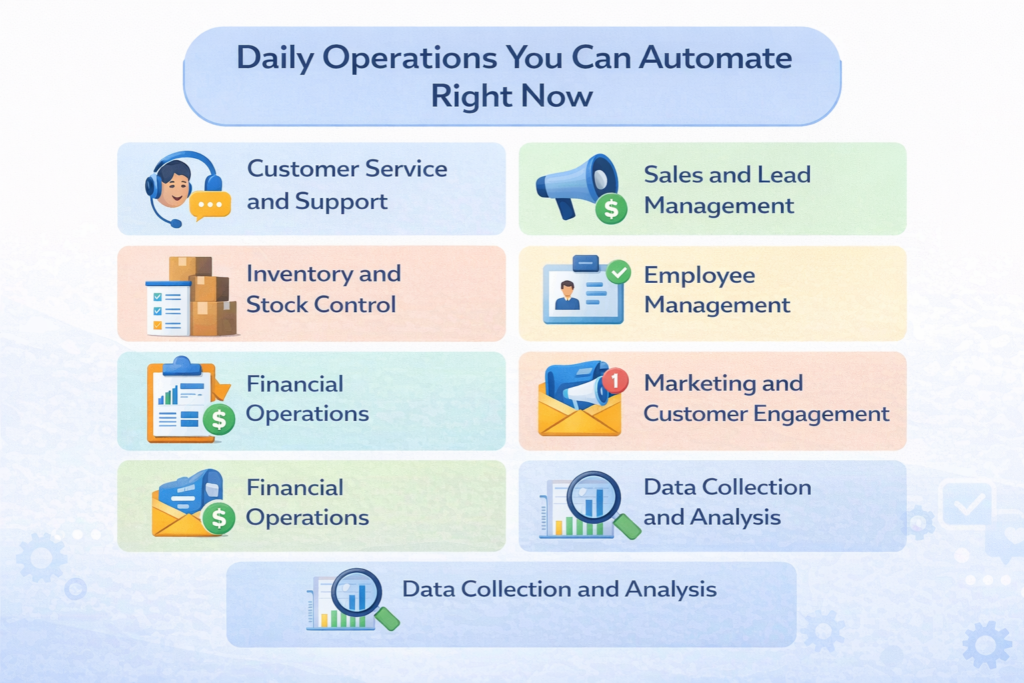
Let us get specific. No more theory. Here are real tasks you can automate today using mobile apps.
Customer Service and Support
Remember when customer service meant sitting by the phone all day?
Those days are gone. Mobile apps handle the heavy lifting now. And they do it better than any human could.
- Instant responses – Chatbots answer common questions in seconds
- Ticket routing – Problems go straight to the right department
- Status updates – Customers track their issues without calling
- FAQ suggestions – The app shows relevant help articles automatically
- Escalation triggers – Complex problems get flagged for human attention
The best part? Customers get help at 3 AM on a Sunday. Your team sleeps peacefully while the app handles everything.
Want to see how this plays out? Check out how smart mobile apps are transforming customer support in 2026.
Sales and Lead Management
Sales teams waste countless hours on admin work. Logging calls. Updating pipelines. Scheduling follow-ups.
Mobile automation eliminates all that:
- Lead scoring – Hot prospects get flagged automatically
- Follow-up sequences – Emails and texts go out on schedule
- Quote generation – Proposals create themselves based on templates
- Commission tracking – Numbers update in real-time
- Meeting scheduling – Calendars sync without the back-and-forth
Your sales team can actually sell instead of pushing paper. And since everything happens on mobile, they stay productive anywhere. The golf course becomes a legitimate office.
This is exactly why AI-powered mobile apps for sales automation are taking over entire industries.
Inventory and Stock Control
Running out of stock kills sales. Having too many ties up cash. Mobile apps find the sweet spot automatically.
Here is what automation looks like:
- Low stock alerts – Notifications before you run out
- Automatic reordering – The app orders supply when needed
- Barcode scanning – Quick updates with your phone camera
- Movement tracking – Know where everything is instantly
- Expiry monitoring – Alerts before products go bad
No more manual counts. No more guesswork. Just smooth operations that run themselves.
Employee Management
Managing people takes time. Lots of it. But many HR tasks are perfect for automation.
- Shift scheduling – Apps match availability with business needs
- Time tracking – Clock in and out with location verification
- Leave requests – Approvals happen without paperwork
- Expense claims – Receipts upload and process automatically
- Performance tracking – Goals and metrics update daily
Your managers stop being administrators. They become actual leaders. That shift alone can transform your entire culture.
Financial Operations
Money matters cannot be ignored. But they do not need to be manual either.
Mobile apps automate the financial grunt work:
- Invoice generation – Bills are created and send themselves
- Payment reminders – Gentle nudges for overdue accounts
- Expense categorization – Transactions sort automatically
- Budget alerts – Warnings when spending gets high
- Report creation – Financial summaries appear like magic
This kind of automation does more than save time. It prevents costly mistakes. Numbers do not lie when a computer does the math.
Speaking of financial benefits. Did you know how mobile apps improve upselling and cross-selling? The automation identifies opportunities humans miss.
Marketing and Customer Engagement
Marketing used to mean throwing things at the wall. Seeing what sticks. Not anymore.
Apps automate the entire customer journey:
- Welcome sequences – New customers get the perfect introduction
- Birthday rewards – Special offers on the right day
- Loyalty points – Automatic tracking and redemption
- Review requests – Ask happy customers at the perfect moment
- Re-engagement campaigns – Win back dormant users
Local businesses especially benefit from this automation. They compete with big chains by being smarter, not bigger. Learn how to use mobile apps to grow your local business with these exact strategies.
Data Collection and Analysis
The most underrated automation of all. Data.
Apps quietly collect information all day long. Customer preferences. Peak hours. Popular products. Failed transactions. Everything leaves a trail.
Then they turn that data into insights:
- Daily dashboards – Key metrics waiting when you wake up
- Trend alerts – The app spots patterns before you do
- Predictive warnings – Problems get flagged before they happen
- Comparison reports – This month versus last month automatically
This is where AI-driven insights inside mobile apps improve business decisions. You stop guessing and start knowing.
How Automation Through Mobile Apps Saves Time and Money
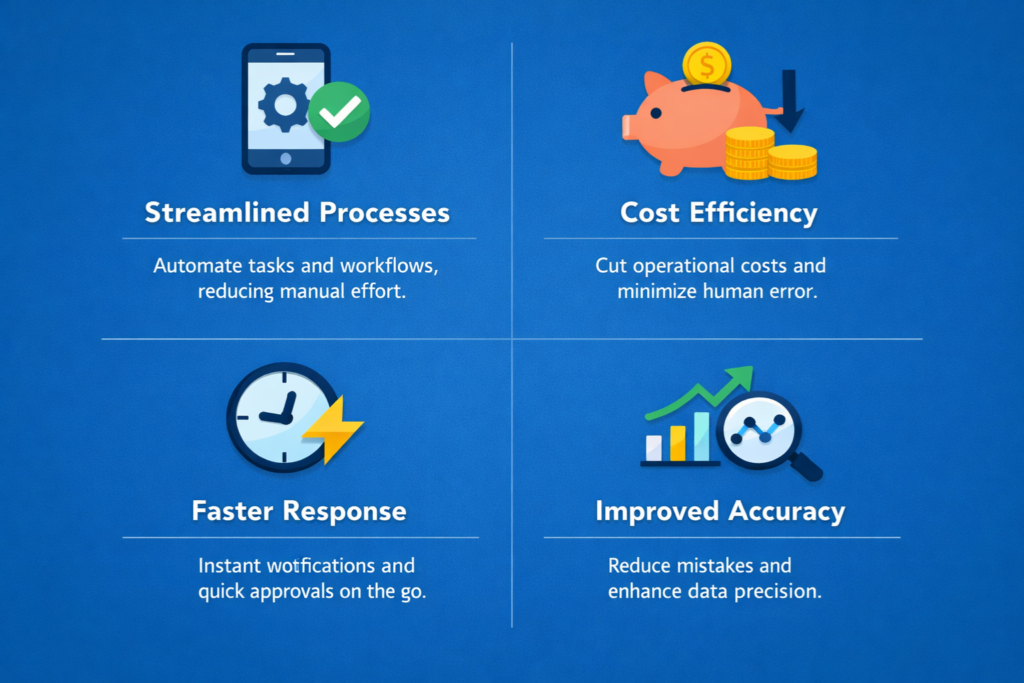
Let us talk about the good stuff. The actual savings.
Because everyone loves the idea of saving time. But seeing real numbers makes it hit different.
Where Does Your Time Actually Go?
Be honest with yourself for a second.
Think about yesterday. How much of your day went to tasks that felt pointless? Copying information from one place to another. Sending the same email you sent last week. Updating a spreadsheet nobody looks at.
Most people do not realize how bad it really is.
The average employee spends close to three hours every single day on repetitive admin work. Three hours. That is not a typo. Every day, your team members lose nearly half their productive time to stuff that a machine could handle.
Let that sink in.
Now do some quick math. Three hours a day. Five days a week. Fifty weeks a year. That adds up to 750 hours annually per person. Nearly a hundred full workdays just gone.
And for what? Data entry. Status updates. Reminder emails. Things that add zero creativity or value.
The Money You Are Bleeding
Time is money. Cliché but true.
Let me show you what those wasted hours actually cost:
| Team Size | Hours Lost Per Year | Money Lost at $25/hour |
| 5 people | 3,750 | $93,750 |
| 10 people | 7,500 | $187,500 |
| 25 people | 18,750 | $468,750 |
| 50 people | 37,500 | $937,500 |
Staring at those numbers hurts a little right?
And this only counts direct time loss. We have not even touched the other ways manual work drains your wallet.
Mistakes Cost More Than You Think
Humans make errors. That is not an insult. It is just reality.
When someone manually enters data all day long their brain gets tired. Fingers slip. Numbers transpose. A 500 becomes a 5000. A customer address goes to the wrong city.
These tiny mistakes create big problems.
One wrong digit on an invoice leads to payment disputes. One incorrect inventory count leads to overselling. One mistyped email address means a customer never hears from you again.
Research suggests manual data entry carries a 1% to 3% error rate. Sounds tiny until you realize that 1% of your annual revenue could be leaking out through preventable mistakes.
Mobile apps do not get tired at 3 PM. They do not rush before lunch. They do the same task perfectly every single time. Zero variation. Zero mistakes.
Overtime Becomes a Memory
Ever wonder why your team always seems behind?
Manual processes create bottlenecks. Work piles up. Deadlines approach. Suddenly, everyone stays late to catch up.
You pay premium rates. Employees burn out. Quality suffers because exhausted people make more mistakes. A vicious cycle that never seems to end.
Automation breaks that cycle permanently.
When routine tasks happen automatically, there is nothing to catch up on. The app already did it. Your team leaves at five with clear heads. They come back tomorrow refreshed instead of resentful.
Real Story. Real Results.
Let me tell you about something I have seen firsthand.
A wholesale distributor had four people dedicated to order processing. That was their entire job. Enter orders. Update stock levels. Email confirmations. Track shipments. Day after day after day.
Mistakes happened weekly. Customers complained constantly. The owner worked weekends just to keep things moving.
They finally built a mobile app to automate 80% of the process.
Within three months everything changed. Two of those four employees moved to customer success roles. Error rates dropped to nearly nothing. Response times went from six hours to six seconds.
Revenue climbed 23% the next year. Not because they worked harder. Because they finally worked smarter.
Savings You Will Not Notice Right Away
Some benefits take a few months to appear. But they are just as valuable.
Your team actually enjoys showing up. Nobody went to business school to copy and paste data. Remove the soul-crushing tasks and morale skyrockets. Happy people stay longer. Hiring costs shrink.
Growth stops being scary. Scaling a manual operation means hiring more bodies. Scaling an automated operation means the same team handles double the volume. Your profit margin grows with every new customer instead of staying flat.
You react faster than competitors. When reports appear automatically, you spot problems immediately. By the time your competitors finish their monthly review, you have already pivoted twice.
Smart companies plan for this from day one. They build a long-term app roadmap for business growth instead of just patching problems as they pop up.
Manual vs Automated: Side by Side
Still on the fence? Look at this comparison:
| Factor | Manual Way | Automated Way |
| Hours spent on admin | Very high | Minimal |
| Error rate | 1-3% | Almost zero |
| Response to customers | Hours sometimes days | Instant |
| Ability to scale | Painful and expensive | Smooth and affordable |
| Team burnout | Very common | Rare |
| Customer happiness | Hit or miss | Consistently high |
| Overtime bills | Regular headache | Occasional at most |
| New hire training | Weeks of hand-holding | Days with app guidance |
The gap is not small. It is a canyon.
What About Traditional CRM Systems?
Customer management used to require clunky desktop software. Expensive licenses. Dedicated IT support. Updates that broke everything.
Those days are fading fast.
Mobile apps now handle customer relationships better than old-school CRM ever did. Everything lives in your pocket. Updates happen seamlessly. Your team actually uses it because the interface feels natural.
The shift is happening across every industry. More businesses are discovering how mobile apps are replacing traditional CRM systems for businesses every single month.
The Investment Pays Itself Back
Building a custom mobile app costs real money upfront. No sugarcoating that truth.
But here is what most people miss.
That investment starts paying returns almost immediately. Every hour saved is money earned. Every error prevented is money protected. Every happy customer who sticks around is revenue that keeps flowing.
Most businesses hit break-even within twelve to eighteen months. After that? Pure profit. The app keeps saving you money for years while the original cost fades into history.
Automation is not spending. It is planting seeds that grow forever.
Getting Started: From Manual Tasks to Automated Workflows
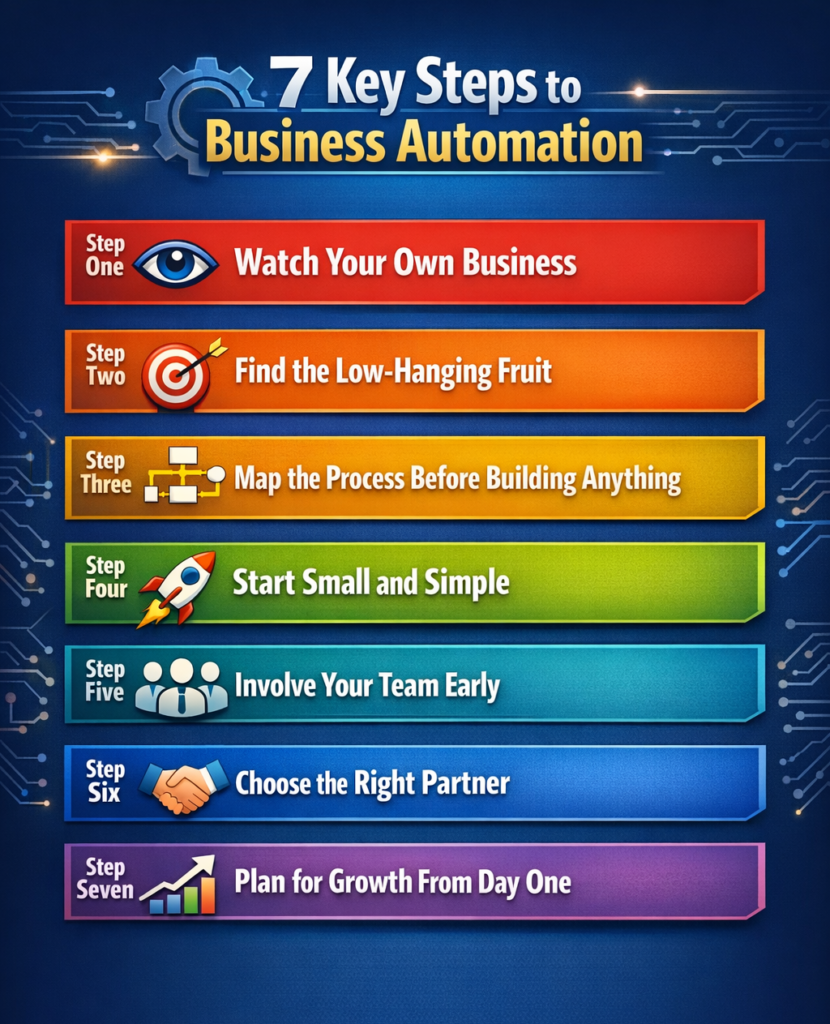
So, you are sold on the idea. Automation sounds amazing. But where do you actually begin?
This is where most people freeze up.
The whole thing feels overwhelming. There are so many processes in your business. So many moving parts. Picking a starting point seems impossible.
Take a breath. It is simpler than you think.
Step One: Watch Your Own Business
Before automating anything, you need to understand what actually happens every day.
Sounds obvious, right? But most business owners cannot describe their processes clearly. Things just happen. Stuff gets done somehow. Nobody has written it down.
Spend one week observing. Really watching.
Ask your team these questions:
- What tasks do you repeat every single day?
- Where do you waste the most time?
- What makes you want to pull your hair out?
- Which tasks require zero thinking but lots of clicking?
- What would you automate if you could wave a magic wand?
Write everything down. Every complaint. Every frustration. Every bottleneck. This list becomes your automation roadmap.
Step Two: Find the Low-Hanging Fruit
Not every process deserves automation right away. Some will save you five minutes a week. Others will save five hours a day.
Start with the big wins.
Look for tasks that share these traits:
| Good Candidates for Automation | Poor Candidates for Automation |
| Happens daily or multiple times daily | Happens once a month or less |
| Follows the same steps every time | Requires different judgment each time |
| Takes significant time | Takes just a few minutes |
| Multiple people do the same task | Only one specialist handles it |
| Errors happen frequently | Mistakes are rare |
| Causes frustration | Nobody minds doing it |
Found something that checks most of those boxes? That is your starting point.
Step Three: Map the Process Before Building Anything
This step separates successful automation from expensive disasters.
You need to document exactly how the task works. Every single step. Even the tiny ones that seem obvious.
Here is an example. Say you want to automate order confirmations.
The manual process might look like this:
- The customer places an order on the website
- Staff member checks email for notification
- Staff opens the order management system
- Staff verifies payment went through
- Staff updates the inventory spreadsheet
- Staff copies customer email address
- Staff opens email template
- Staff pastes customer info and order details
- Staff sends confirmation email
- Staff marks order as confirmed in the system
Ten steps. Some take seconds. Some take minutes. But together they add up to fifteen or twenty minutes per order.
When you map it out this clearly, the automation becomes obvious. The app can handle steps two through ten instantly. A human only needs to step in if something goes wrong.
Step Four: Start Small and Simple
Here is where people mess up badly.
They get excited and try to automate everything at once. Build a massive app that handles every process. Launch it company-wide on day one.
Disaster follows quickly.
The smarter approach? Start with one process. Build it right. Test it thoroughly. Get your team comfortable. Then expand.
Think of it like exercise. You would not run a marathon on your first day at the gym. You start with a short jog. Build stamina over time.
Automation works the same way.
Pick your single biggest time-waster. Automate just that one thing. Live with it for a month. Learn what works and what needs tweaking. Then move to the next process.
Step Five: Involve Your Team Early
Automation fails when people resist it. And people resist things they do not understand.
Your team needs to feel like partners not victims.
Talk to them before building anything:
- Explain the why – This makes their lives easier not replaces their jobs
- Ask for input – They know the pain points better than anyone
- Address fears – Job security concerns are natural and valid
- Show the benefits – Less boring work means more interesting work
- Get their feedback – Test with real users before full launch
When employees help shape the automation they embrace it. When automation gets forced on them they find ways to sabotage it. Human nature never changes.
Step Six: Choose the Right Partner
Unless you plan to build everything yourself, you need help.
Picking the right app development partner matters more than most people realize. The wrong choice leads to missed deadlines. Blown budgets. Apps that do not actually solve your problems.
Look for these green flags:
- They ask lots of questions – Understanding your business comes first
- They have relevant experience – Industry knowledge speeds everything up
- They talk about scaling – Today’s solution should handle tomorrow’s growth
- They mention ongoing support – Launch is the beginning not the end
- They show real examples – Past work proves capability
Red flags to avoid:
- Promising everything will be quick and cheap
- Jumping straight to technical solutions without understanding problems
- No interest in your long-term goals
- Pushy sales tactics
- Vague answers about process and timeline
Step Seven: Plan for Growth From Day One
Your business will not stay the same size forever. Your automation should not either.
Whatever you build today needs room to expand tomorrow.
This means thinking ahead:
- Can this handle ten times the current volume?
- Will adding new features require rebuilding everything?
- Does the system connect easily to other tools?
- Can new employees learn it quickly?
- Is the foundation solid enough for future additions?
Building with growth in mind costs a little more upfront. But it saves fortunes later when you do not have to tear everything down and start over.
A Simple Starting Framework
Still feeling stuck? Use this basic framework:
| Week | Focus |
| Week 1 | Observe and document current processes |
| Week 2 | Identify the top three automation candidates |
| Week 3 | Map detailed steps for the number one priority |
| Week 4 | Research potential partners or solutions |
| Week 5 | Begin discussions and planning |
| Week 6 | Start building the first automated workflow |
Six weeks from today, you could have your first automation running. Six months from now, you could have transformed your entire operation.
The only question is whether you start or keep doing things the hard way.
Common Mistakes to Avoid When Automating Your Business
Automation is powerful stuff. But power without direction causes problems.
I have watched businesses stumble into the same traps again and again. Smart people. Good intentions. Terrible execution.
The frustrating part? Every single mistake is completely avoidable. You just need someone to point them out before you fall in.
Consider this your warning sign.
Trying to Fix Broken Processes With Technology
This one kills me every time I see it.
A business has a messy process. Too many steps. Confusing handoffs. Nobody really knows why things happen the way they do. But somehow it works. Sort of.
Then someone decides automation will fix everything.
Spoiler alert. It will not.
You cannot polish a mess. Automating a bad process just makes bad things happen faster. The confusion spreads quicker. Errors multiply at lightning speed.
Here is a truth nobody wants to hear. Before you automate anything you need to fix it first. Sit down. Map it out. Ask why each step exists. Cut the nonsense. Streamline what remains.
Then and only then should you automate.
Going Too Big Too Fast
Ambition feels good. Caution feels boring.
But caution wins this race.
New automation enthusiasts want to transform everything overnight. Sales. Support. Inventory. Payroll. Marketing. All automated by next quarter. One massive project to rule them all.
Reality hits hard and fast.
Budgets spiral. Timelines stretch. Teams get overwhelmed. Nothing actually ships. The whole initiative collapses under its own weight.
Start smaller than feels comfortable. One process. One workflow. One win.
Stack those small wins over time. A year from now you will have transformed your entire operation. But you will have done it without burning the place down.
Leaving Your Team in the Dark
Your employees are not obstacles. They are allies.
Some business owners treat automation like a secret project. Build it in a back room. Drop it on everyone suddenly. Expect immediate adoption.
That approach backfires spectacularly.
People fear what they do not understand. They worry about job security. They resent changes nobody asked their opinion about. They find creative ways to avoid using the new system.
Meanwhile, your expensive automation sits untouched.
Flip the script entirely. Bring your team into the conversation early. Ask what frustrates them. Learn where they waste time. Let them shape the solution.
When people help build something they actually use it. Simple psychology that too many businesses ignore.
Chasing the Cheapest Option
Everyone loves a bargain. Nothing wrong with watching your budget.
But cheap automation usually ends up costing triple.
Here is how it plays out. You find a vendor offering prices way below everyone else. Sounds perfect. You sign up immediately.
Six months later, the problems start. Features you need do not exist. Support takes weeks to respond. Updates break things constantly. Security feels questionable at best.
Eventually, you scrap the whole thing. Start over with someone competent. Pay the money you should have paid originally plus all the wasted months.
Quality costs more upfront. It costs less overall. Learn that lesson from other people’s mistakes instead of your own.
Forgetting That Apps Need Care
Launch day feels like graduation. Everything works. Everyone celebrates. Project complete.
Except it is not complete. Not even close.
Mobile apps need ongoing attention. Technology evolves. Customer expectations shift. Your business changes direction. What worked perfectly in January might feel clunky by September.
Neglected apps decay slowly then suddenly. Small bugs become big bugs. Performance drops. Users get frustrated. Eventually you face a complete rebuild instead of simple updates.
Plan for maintenance from day one:
- Monthly check-ins to review performance
- Budget for regular improvements
- Quick response when something breaks
- Annual reviews to assess bigger changes
Think of your app like a car. Skip the oil changes and eventually the engine dies.
No Clear Definition of Success
What exactly are you trying to accomplish?
Vague answers like save time or work smarter are not enough. Those sound nice, but mean nothing concrete.
Without specific targets you cannot measure progress. You cannot know if automation worked. You just have a fuzzy feeling that something changed.
Get specific before building anything:
| Weak Goal | Strong Goal |
| Save time on orders | Cut order processing from 15 minutes to 2 minutes |
| Reduce mistakes | Lower data entry errors by 85% |
| Better customer service | Respond to inquiries within 30 seconds |
| Improve efficiency | Handle 3x volume with the current team |
Numbers matter. Targets matter. Accountability matters.
If you cannot measure it you cannot manage it.
Rushing Through Training
New tools require new skills. Obvious right?
Yet so many businesses launch automation with barely any training. A quick demo on Monday. Good luck on Tuesday.
Then management wonders why nobody uses the new system properly.
Learning takes time. People need practice. They need someone patient to answer questions. They need permission to make mistakes without punishment.
A solid training plan looks something like this:
| Timeframe | What Happens |
| Before launch | Explain why this matters and what changes |
| First week | Supervised hands-on practice |
| First month | Daily support and troubleshooting |
| Second month | Advanced tips and hidden features |
| Forever | Onboarding process for new hires |
Invest in training or watch your automation investment go to waste. Your choice.
Skipping the Testing Phase
Pressure to launch quickly creates disasters.
Someone up top sets an aggressive deadline. Testing gets shortened. Edge cases get ignored. The team crosses fingers and hopes for the best.
Then the app goes live. And breaks. Publicly.
Customer payments fail during a busy weekend. Orders vanish mysteriously. Wrong data ends up in wrong places. Chaos spreads while everyone scrambles to fix things that should never have broken.
Test thoroughly before launching anything:
- Use real-world scenarios not just perfect ones
- Include your most detail-oriented team members
- Actively try to break things on purpose
- Run the old and new systems side by side first
- Have a backup plan ready if everything falls apart
One extra week of testing prevents months of apologizing to angry customers.
Building Only for Today
Your business today is not your business tomorrow.
At least that is the plan. Growth. Expansion. New markets. More customers.
But automation built only for current needs creates future roadblocks.
Imagine doubling your customer base next year. Can your app handle that load? What about adding new locations? New product lines? New services?
If the answer is no, then you face expensive rebuilds down the road.
Think ahead when building automation:
- Design for ten times your current volume
- Build flexible foundations that adapt easily
- Choose tools that connect to other systems
- Document everything so future changes go smoothly
Short-term thinking creates long-term nightmares. Ask any business owner who learned this lesson the hard way.
Ignoring What the Data Tells You
Automation generates information constantly.
How long tasks take. Where errors happen. Which features get used? What slows everything down? Valuable insights are pouring out every single day.
Most businesses ignore all of it.
They build automation and walk away. Never check the reports. Never review performance. Never ask if things could work better.
That wasted data represents wasted opportunity.
Track the metrics that actually matter:
- Time saved compared to manual processes
- Error rates before versus after
- Customer satisfaction scores
- Employee feedback
- Cost per transaction
Use those numbers to improve continuously. Small tweaks over time add up to massive gains.
The best businesses treat automation as a living thing. Always evolving. Always getting better. Never finished.
Conclusion
Let us keep this simple.
Every business has tasks that steal time. Repetitive work that drains energy and adds nothing meaningful. You know exactly which ones I am talking about.
Mobile app automation takes those tasks off your plate. Not someday. Not in theory. Right now.
The businesses winning today are not working harder. They are working smarter. They automated the boring stuff and freed their teams to focus on what actually moves the needle.
Here is what to remember:
- Start small – One process at a time beats a massive overhaul
- Fix before you automate – Clean up messy workflows first
- Involve your people – They know the problems better than anyone
- Plan for growth – Build something that scales with your ambitions
- Measure everything – Track results and keep improving
Automation is not about replacing humans. It is about unleashing them. Giving them back the hours they lose to mindless tasks so they can think bigger and do better.
The only real risk? Waiting too long and watching your competitors figure it out first.
Ready to Automate Your Business?
At Boolean Inc. we help businesses turn chaotic daily operations into smooth automated workflows. No cookie-cutter apps. No unnecessary complexity. Just smart solutions built around how your business actually works.
Whether you are automating one process or transforming your entire operation we are here to help.
Let us build something that works while you sleep.
FAQs
1. What types of tasks can mobile apps automate?
Pretty much anything repetitive. Order processing. Customer follow-ups. Inventory tracking. Employee scheduling. Invoice generation. If you do it the same way every day an app can probably handle it for you.
2. Is automation only for big companies?
Not even close. Small businesses actually benefit the most because every hour saved matters more when your team is tiny. You do not need a Fortune 500 budget to start automating.
3. Will automation replace my employees?
No. It replaces their boring tasks. Your people stop entering data and start doing meaningful work instead. Think of it as upgrading their job description not eliminating it.
4. How much does it cost to automate business operations with a mobile app?
It depends on what you are automating and how complex your workflows are. A simple app costs less than a fancy one. But most businesses see their investment pay for itself within twelve to eighteen months.
5. How long before I see results from automation?
Some results show up immediately. Faster response times. Fewer errors. Less overtime. The bigger financial impact usually kicks in within three to six months as your team fully adapts to the new workflow.